Sunday, 4 November 2012

The table of awesome (hopefully)

 This hasn't been added to the game yet, I'll post what it looks like in game soon though. I started off with a rectangle (ground breaking I know) then beveled it and moved the center down to create an edge.  (more of the design process in comments below)

Beveled rectangle.

Table UVWS (middle rectangle = table top, outer rectangle = table top edge, rectangles to the right are the faces and under part) I didn't worry about the outer faces and bottom as much. They aren't the center piece or the object and dont attract as much attention as the top.

After I created this in Photoshop I realised that it was too clean. Especially for a horror/survival game) so I decided to make afew more versions to apply in game. 

This version still has a clean table top.

Unlike the first this one has dried fluid on the table top (believe me it really does look like an off brown, working in pathology I see some gross shit). 


Perse view (clean table)

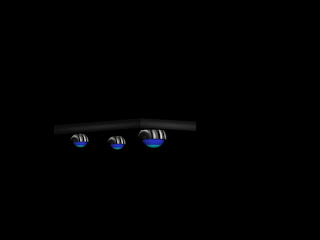
S. Orbs on the bottom.

S. Orb placement

Holographic display: 


I had an idea for a holographic display on the end of the table, kind of like a patients chart but more futuristic. I'm not sure if this is going to work, but I placed two planes back to back on the end of the table. I think if I put a texture on it it'll look invisible when I walk around the other side. so fingers crossed for crunch time :P

If this works I'll use it else where in the level.


What would a surgical table look like in the future?

It's a weird question I thought I'd never have to ask myself but after some thought I decided the table would levitate (it would make for easy storage and sterilization of the table after cleaning). I went with an orb design  , it would be able to apply force in more directions to maintain the tables stability.  I wanted there to be a metal part ( the business end) where most of the fictional propulsion could be calculated and an output where the force could be applied. 

Simple design below.

Levitation Device (Surgical Orb)

S. Orb. Small circle = top, big circle = bottom.

My aim is to have the objects material have self- illumination. I am  hoping this will look good in game. 

Textured S.Orb

Elevator Shaft, Med bay, falling doors!

Elevator Shaft (completed)

I wanted to add a challenge that could continue throughout the game/level. For the player to access the medbay they need to go up the scaffolding of the elevator shaft.
Top Entrance (medbay corridor)


If the player falls to the bottom, they will see a piece of door that fell from the upper level.

MedBay Location


Walls and Doors :O!

 Door:

Door (I modeled this door off of the texture below)

I liked this door for 2 reasons: I looks industrial and It looks like the door of the manga entertainment opening on VHS.  It would also fit the player controller through and would be east to show broken.

UVW MAPS: Door

This is applied to both of the faces on the Left rectangle

This is applied to both of the faces on the rectangle on the Right.


Finished Product. I designed this like the characters in class. I placed a plane behind two rectangles with a bitmap of the file I was modeling.   

Corridors:

After creating the corridor I added the door, The ship is meant to be dilapidated and broken. To help get this point across I wanted the door from cryostasis to be broken. To achieve this I made the left part of the door slanted and plan on adding sparks later.

Here is the wall I designed with with lighting.


This corridor is blocked, there is a fire on the other side with a plane that has an image of a room on it. I added this to help reinforce the damage that has occurred while the player has been in Cryostasis. The main character doesn't know the full extent of the damage yet, is the ship about to explode? is the air lock working in the next room? what has h append here and how bad can it really be? These are questions I want the player to ask, when they play the level.

I wanted to tilt the corridors to stop the player from moving on a straight plane. I really don't like a flat design. To the right of the picture (Above) the corridor is slanted up. I want to add an elevator shaft for the player to navigate w
ith the medbay being at the end.


Elevator Shaft goes here ^  

CryoRoom Development:


CryoRoom

CryoRoom (UVW)
I used this Texture for the 'Cryo Room'. I tried other textures but they seemed flat even after I added the  bump mapping. I chose this because it added depth to the walls in the Cryo Room and I wanted a futuristic design.

CryoRoom(UVW-Textured)

CryoRoom Textured

In Game: 


In Game - 1 

In Game - 2

Wall texturing and UVW

I decided to go with a dark texture on the steel because I wanted the hallway to feel like a tunnel. I plan on making the hall way long and dark. Almost like a maze.

Wall for Cryostasis

UVW (With textures)

UVW of wall


Wednesday, 31 October 2012

1:Console Wall (Perse)


1: Console Wall (Front)

I wanted the walls in the corridors to have consoles (Atleast from the Cryo to Med Bay) because it would be a way of monitoring the people in stasis as you went from room to room. The pipes on the side could contain coolant and the consoles regulate it.

It made sense to me to fit some of the walls with vents or pipes because the room on a spacecraft would always be cramped or full, every space made use off in some way.

I didn't want to have blank smooth walls either and would like to continue this kind of design throughout the ships corridors.

*This wall will not be used for all of the ships connecting regions. Just from medbay to cryo and maybe in the Generator room.

I'd like to create vents as well and a power source for the cryostasis chamber.